The venue has reached maximum capacity. Only purchases that do not include guests can be made.
Sample Sponsor
$10,000
Recognition in premium marketing spot of your choice
Sponsorship of key attraction for maximum event visibility
Logo/Name displayed on Event banner
Prominent Logo/Name on event T-shirts
4 event tickets + 4 T-shirts
Multiple dedicated social media features promoting your sponsorship, reaching a large and engaged audience
Featured in PTO’s newsletter and PTO website
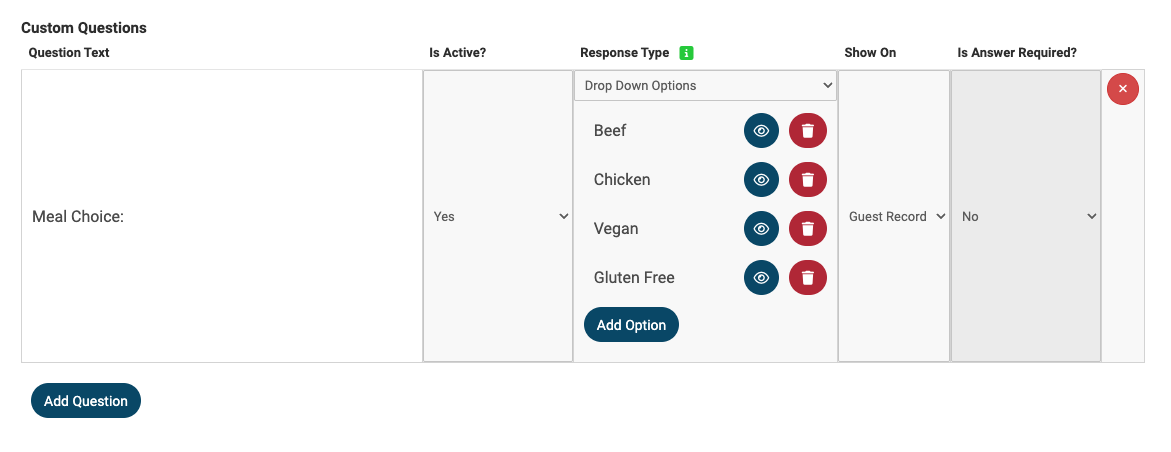
To add a custom question (such as capturing a meal choice), go to Event Tickets > Modify Tickets, select the ticket or sponsorship option you want to update, and click Add Question. Select drop down for meal choice.
Sponsor Guests
Tickets & Tables
The venue has reached maximum capacity. Only purchases that do not include guests can be made.
Individual Ticket
$100
Table for 10 [Gala]
$1,000
Includes table for 10
2 drinks per guest
Seated Dinner with friends
DJ & Dancing
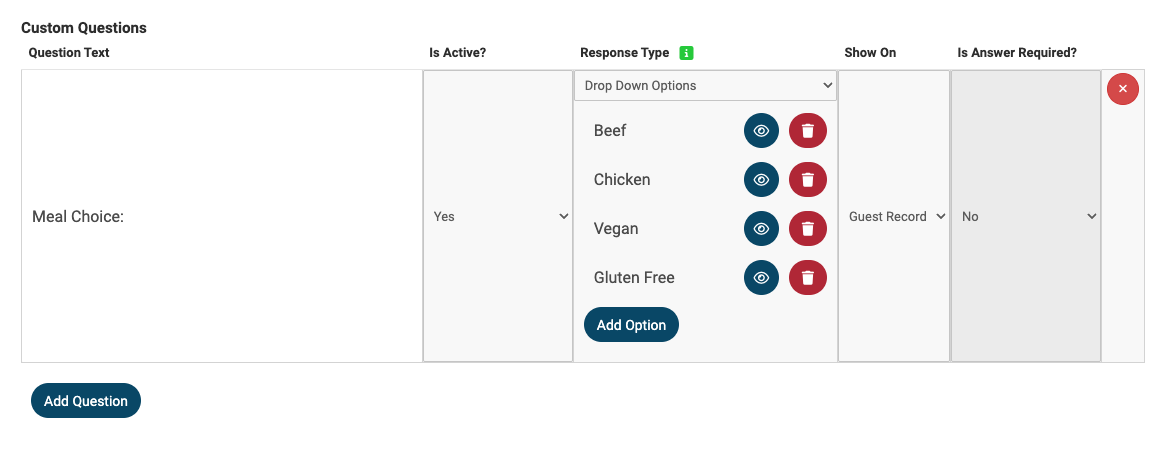
To add a custom question (such as capturing a meal choice), go to Event Tickets > Modify Tickets, select the ticket or sponsorship option you want to update, and click Add Question. Select drop down for meal choice option.
Sample Foursome [Golf / Trivia Night]
$1,200
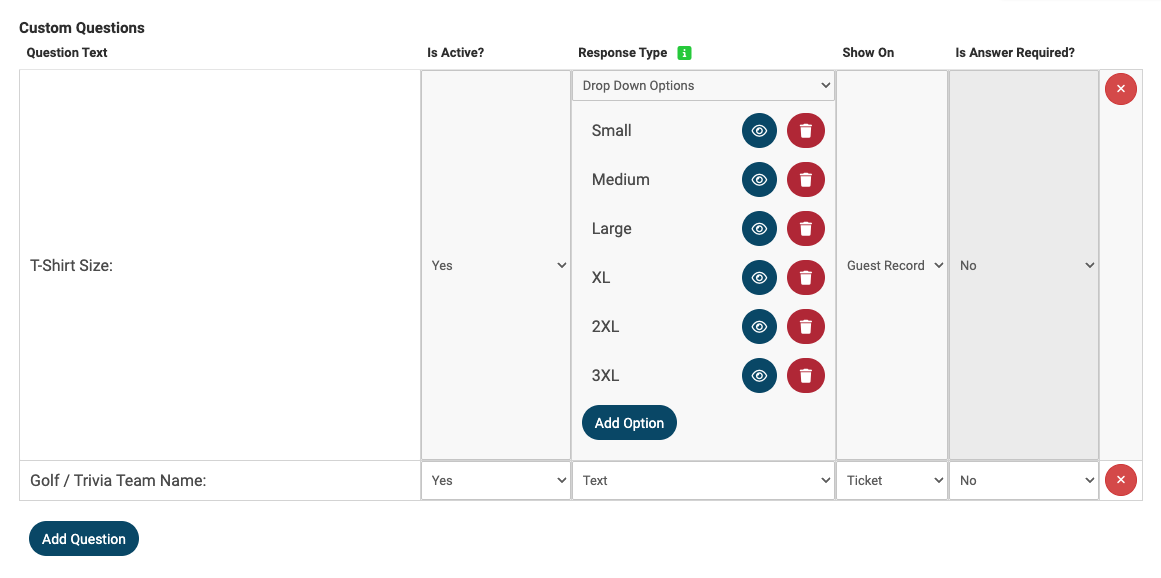
To add a custom question (such as capturing Team Name), go to Event Tickets > Modify Tickets, select the ticket or sponsorship option you want to update, and click Add Question. Select drop down for T-shirts. Select Text for Team Names.
Tickets & Tables Guests
Underwriting
$1,000
If using Underwriting, make sure this doesn't include any ticket sales with your Underwriting. If your Underwriter does include ticket sales to your event, it is recommended to use the Sponsorship option.
Donate
Donate
$
Ticket 0 of 0
Add Notes
Payment
Purchaser Details
Complete the contact information for the person completing this ticket purchase.
If you want to keep a credit card on file, select a guest from the dropdown and fill in the address fields. Then choose Credit Card and check the box that says "Save this credit card for use at this event?"
Payment Details
Taxes
$0
Total:
$0
Admin Fee
$0.00
By clicking "Submit," I consent to having my credit card or payment information and personal information indicated above processed by HelloFund in accordance with HelloFund Privacy Policy.
Your purchase will be completed when we receive payment.
Please remit payment to: HelloFund Inc. and send to HelloFund Inc. (Attn: Phil Sanger), 3005 South Lamar Blvd, Austin, TX 78704. To UPDATE, go to Event Tickets > Ticket Page Settings > Payment Types.
Your purchase will be completed when we receive payment.